
Connect Gmail
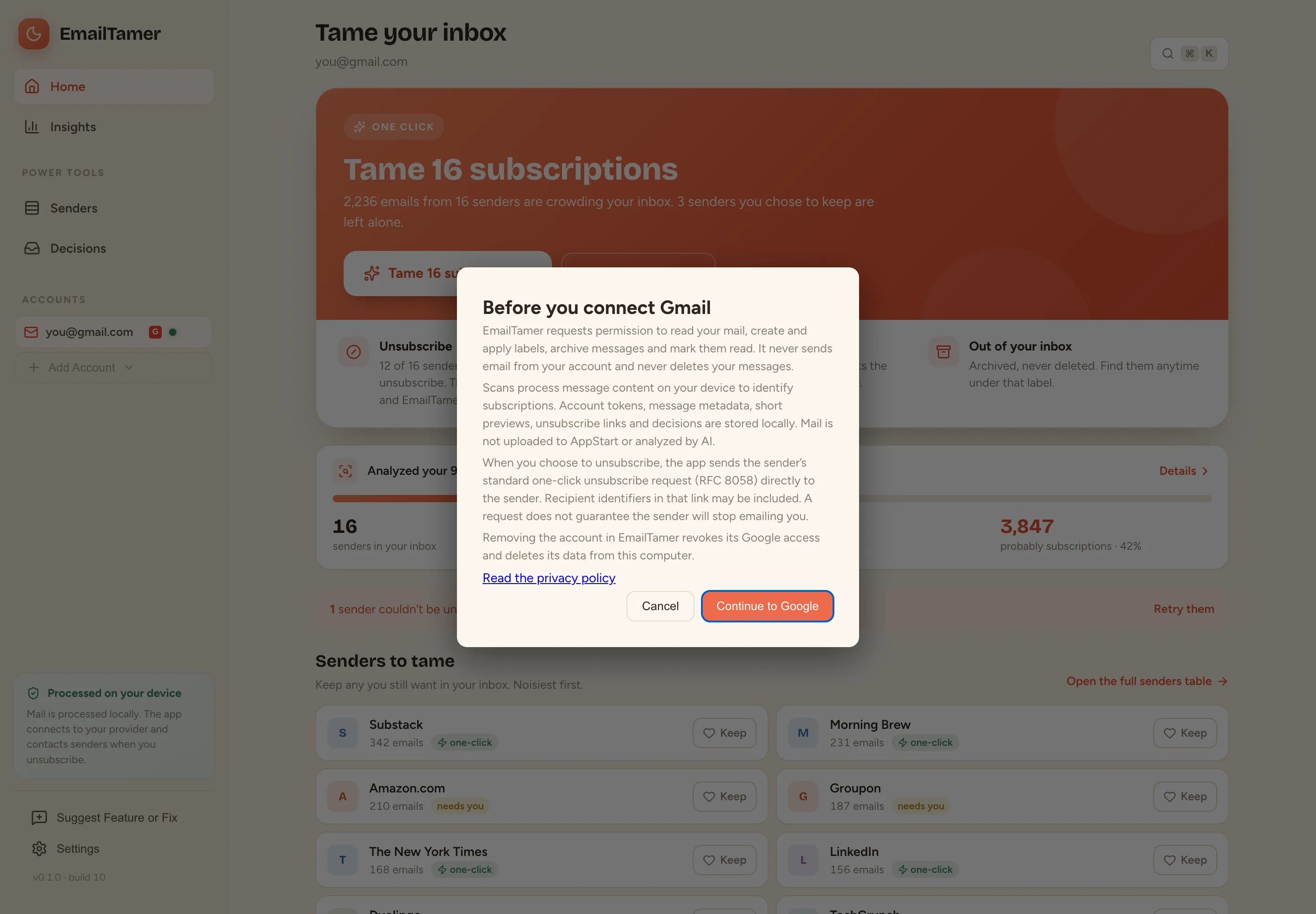
The app explains what it will access, then opens Google sign-in in your browser. You approve access on Google’s own consent screen. Tokens are stored encrypted on your Mac.
EmailTamer is a Mac app that finds the newsletters and promotions crowding your Gmail, unsubscribes you from the ones you don’t want, and files the rest out of your inbox. Your mail is processed on your Mac, not on our servers.
EmailTamer isn’t available to download yet. Join the early-access list and we’ll email you when it is.
A short walkthrough of taming every subscription in a Gmail inbox with one click.
The video loads from YouTube when you press play. Watch it on YouTube.
No account to create with us and no inbox to upload. The app connects directly to Gmail, and to a sender’s unsubscribe service only when you choose to unsubscribe.
The app explains what it will access, then opens Google sign-in in your browser. You approve access on Google’s own consent screen. Tokens are stored encrypted on your Mac.
The app reads your recent messages to find subscription senders and their unsubscribe options, then groups and categorizes them on your Mac.
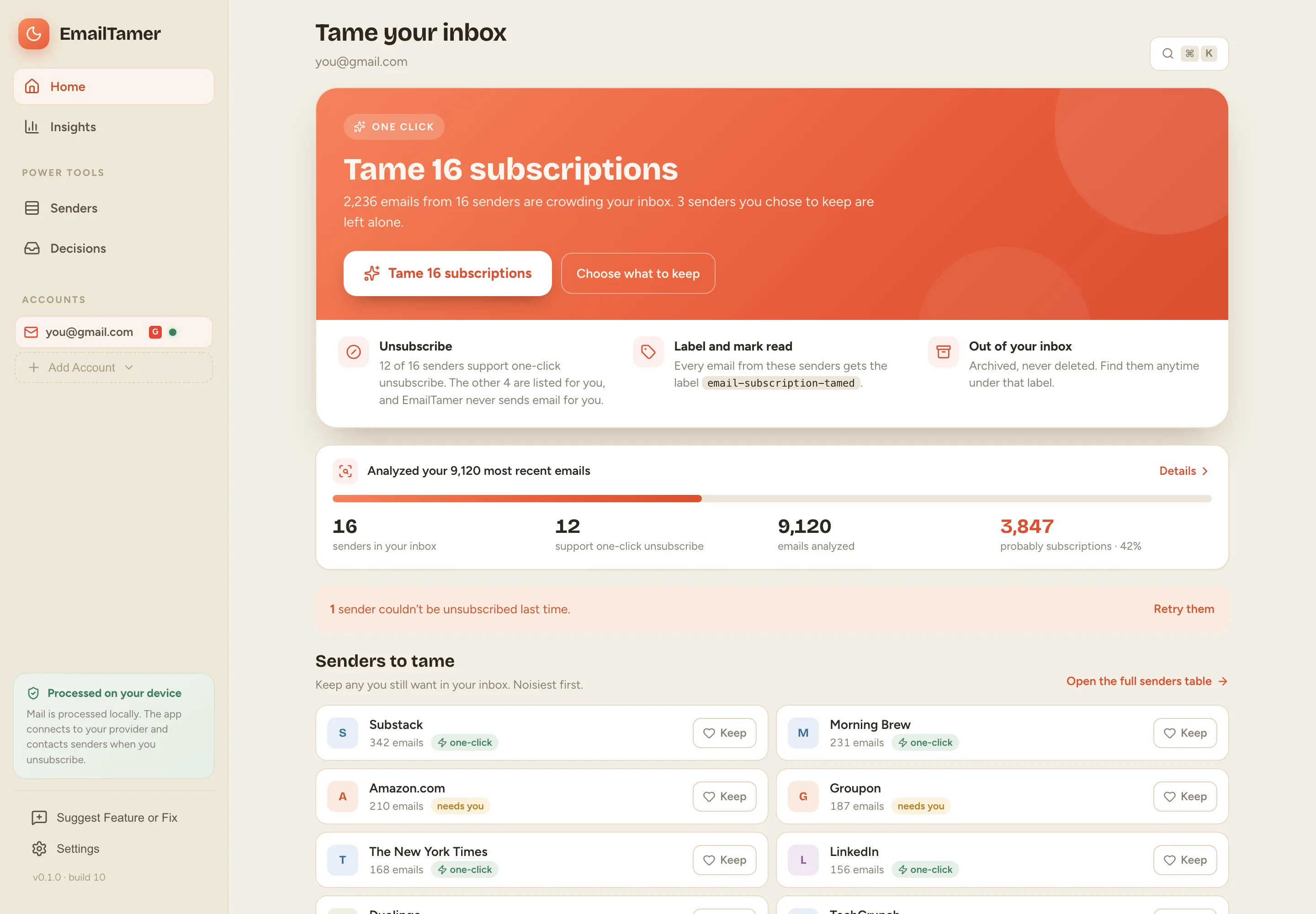
Mark the senders you want to keep, then tame the rest in one click: unsubscribe where the sender supports it, and label, archive and mark their email read.
Screens from the current macOS build, shown with a sample Gmail account and demo data. Select an image to open it at full size.
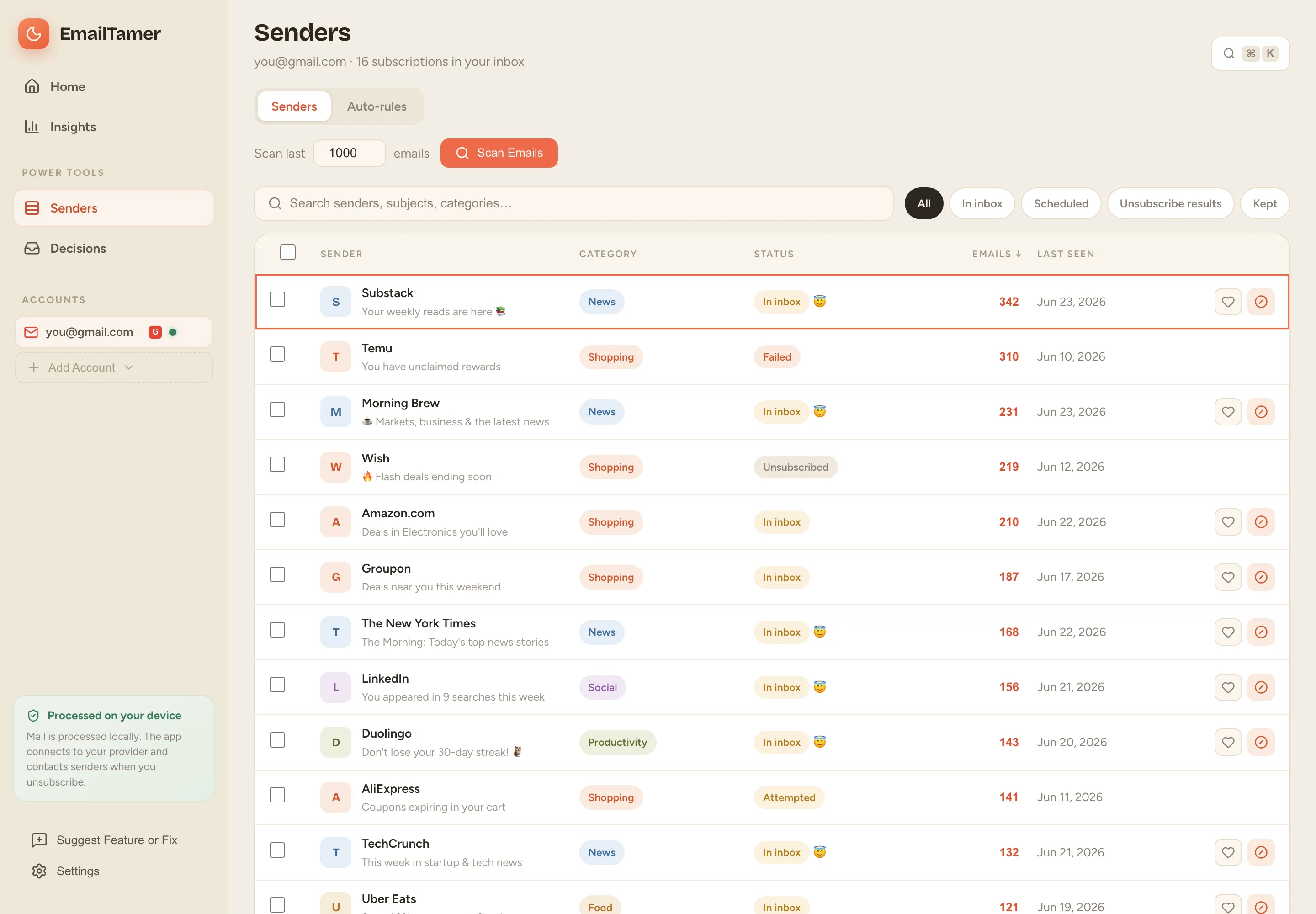
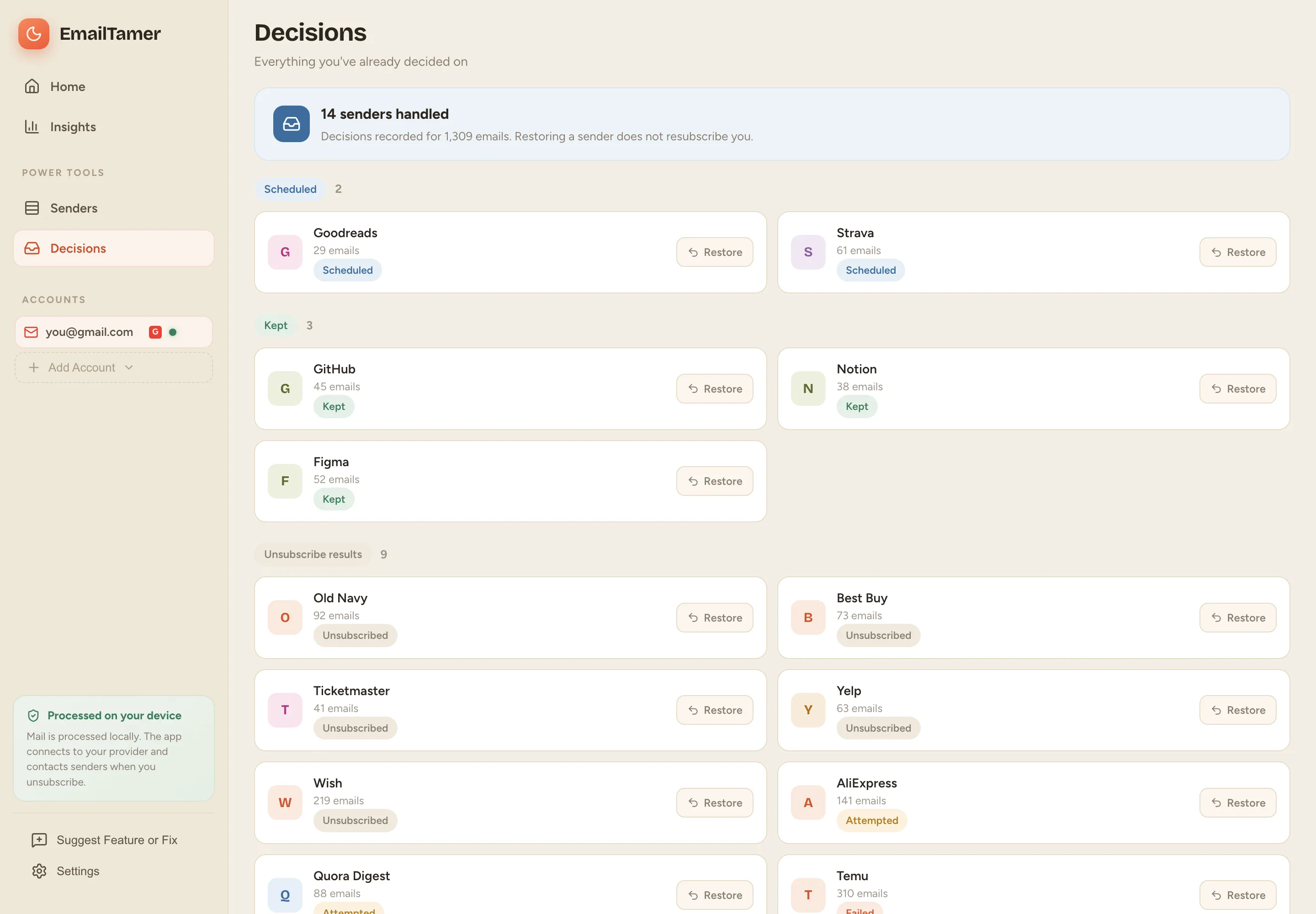
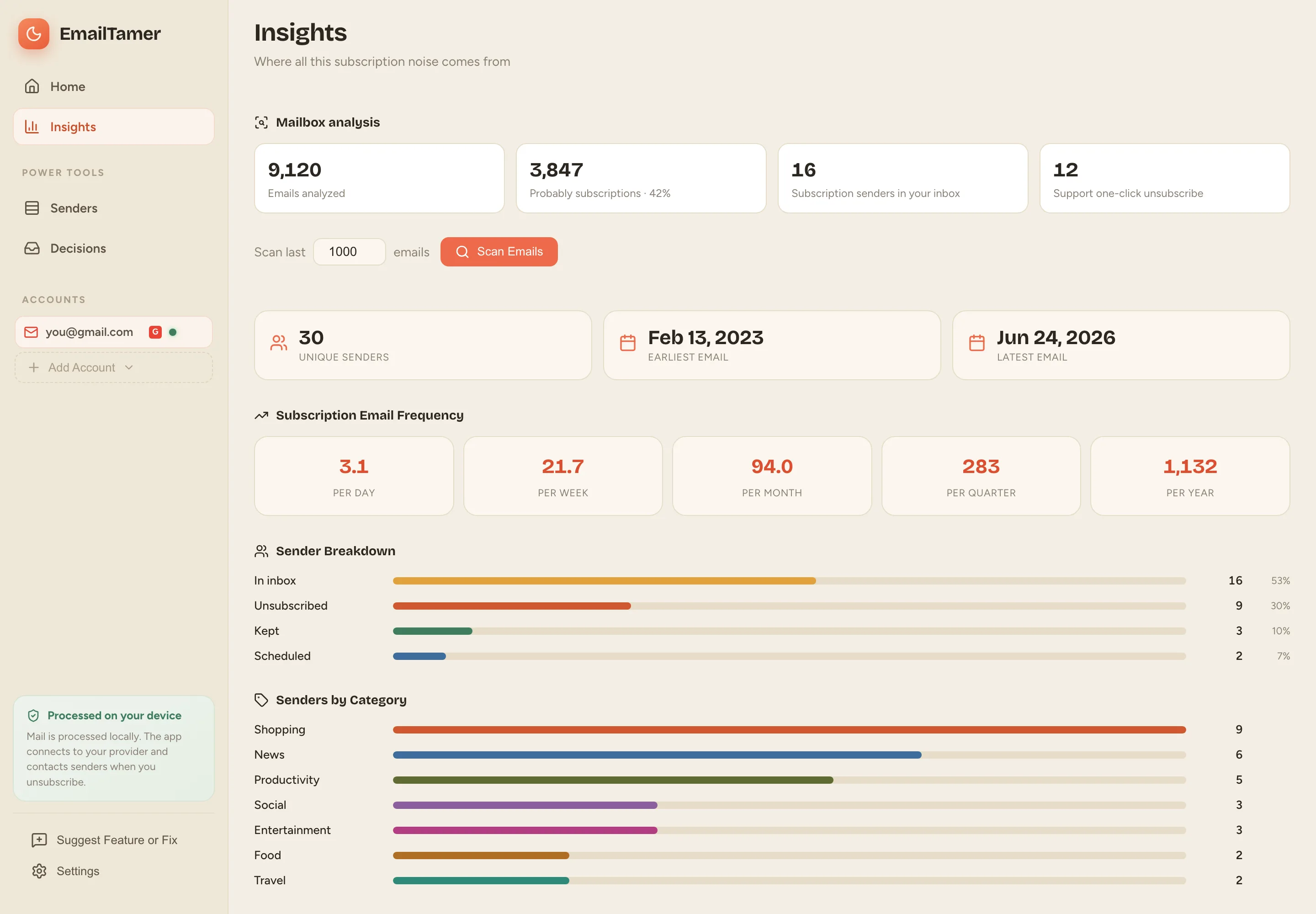
Built for people who are done with newsletters they never read.
Unsubscribe from every sender you haven’t kept, in one pass. Senders that need a web page are listed for you to finish.
Handled email gets a Gmail label, leaves your inbox and is marked read. Nothing is deleted; find it anytime under the label.
Mark senders to keep and they are left alone, now and on future scans. Restore any decision later.
See which requests were sent, attempted, failed or need you, and retry the ones that didn’t go through.
Senders are sorted into News, Shopping, Social and more. Rules can keep senders or schedule them for cleanup when you scan.
Subscription volume per day to per year, your noisiest senders, and a breakdown by category.
Connect personal and Google Workspace accounts and switch between them. Outlook and Yahoo are in development.
A ⌘ K command palette and shortcuts for moving through senders without the mouse.
Light and warm-dark themes, plus optional streaks, achievements and confetti.
EmailTamer requests one Google permission, https://www.googleapis.com/auth/gmail.modify, when you connect a Gmail account. Here is every way the app uses it.
To find subscription senders, their unsubscribe headers and links, and short previews shown in the app. Metadata and previews are saved in an encrypted database on your Mac.
For senders you tame or unsubscribe from, the app creates and applies a Gmail label, removes the messages from your inbox, and marks them read.
Some senders only accept an unsubscribe by email. EmailTamer never emails them. It labels and archives their current and future mail instead.
The app reads your Gmail address to show which account is connected and to confirm the same account when you reconnect.
What it never does: send email from your account, permanently delete email, upload your mailbox to AppStart or any other server, sell your data, show you ads, or use your data to train AI models. EmailTamer contacts a sender’s unsubscribe service only when you choose to unsubscribe from that sender.
EmailTamer’s use of information received from Google APIs adheres to the Google API Services User Data Policy, including the Limited Use requirements.
Removing an account in EmailTamer revokes its Google access and deletes the account’s data from your Mac. You can also revoke access at any time in your Google Account connections. Details are in the privacy policy.
Never hand a company you’ve never met the keys to your inbox.
EmailTamer processes your mailbox on your Mac. Connecting an account authorizes direct access to Gmail; unsubscribing contacts the sender’s opt-out destination. We have no cloud backend that reads your inbox.
It covers local storage, network requests, deleting an account, and revoking Google access.
Read the privacy policy →EmailTamer for macOS is in pre-release while we finish release testing and Google’s review of Gmail access. Leave your email and we’ll let you know when you can download it.
gmail.modify permission as read, compose and send, because that is how it groups the permission. EmailTamer uses it to read messages to find senders and their unsubscribe links, and to apply a label, archive messages and mark them read. It never sends email from your account and never permanently deletes messages. See what EmailTamer does with Gmail access.